> For the complete documentation index, see [llms.txt](https://help.usejimo.com/docs/llms.txt). Markdown versions of documentation pages are available by appending `.md` to page URLs; this page is available as [Markdown](https://help.usejimo.com/docs/analyze/success-tracker/overview.md).
# Overview
This dashboard provides a comprehensive view of all your active trackers, helping you monitor user interactions and measure success metrics.
## Dashboard
You can create new trackers, add events, and analyze performance data to optimize user engagement.
**Trackers and Events Tabs (A)**
* Toggle between viewing [Trackers](/docs/analyze/success-tracker/trackers.md) and [Events](/docs/analyze/success-tracker/events.md).
* Trackers tab displays all created trackers.
* Events tab displays all events that can be used in trackers.
**Add Event and New Tracker Buttons (B)**
* **Add Event**: Button to add a new event, which can be used in trackers.
* **New Tracker**: Button to create a new tracker.
**Create Your First Tracker**
* **Activation Tracker (C)**: For tracking success across multiple steps.
* **Feature Usage Tracker (D)**: For tracking the usage of a specific feature.
### **Main Dashboard**
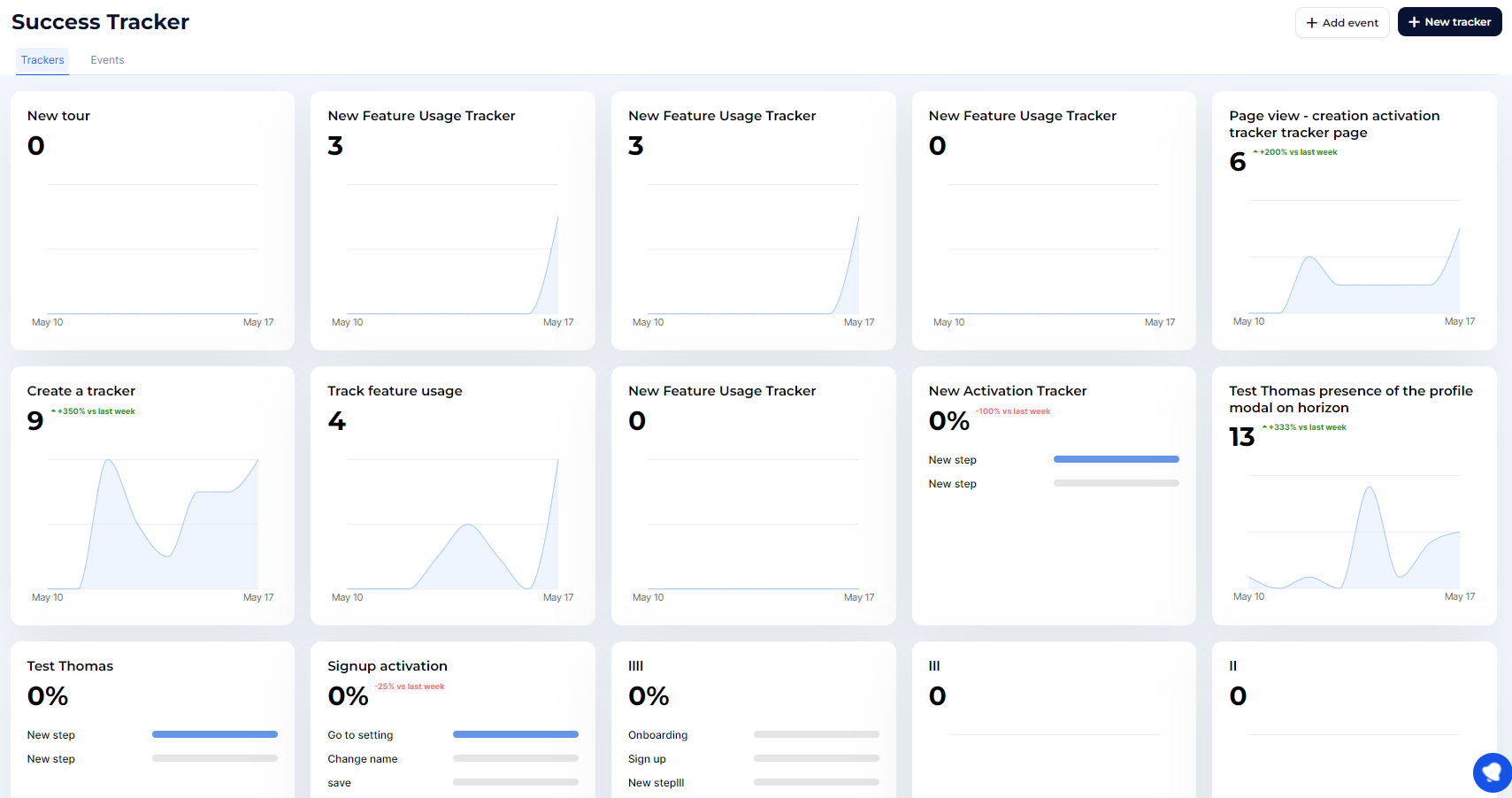
Display summary information for each tracker as a grid layout of multiple cards, each summarizing key metrics and progress. Each card includes the tracker name, the number of events or percentage progress, and a graph showing historical data.
* **Tracker Overview (A)**: View summary statistics for each tracker, including the total number of events tracked.
* **New Activation Tracker (B)**: Displays the percentage of users completing each step in the activation process.
* **Open Tracker (C)**: Click to view detailed data and insights for each tracker.
This layout provides a comprehensive view of all your trackers, helping you monitor user success and interactions with your product effectively.