> For the complete documentation index, see [llms.txt](https://help.usejimo.com/docs/llms.txt). Markdown versions of documentation pages are available by appending `.md` to page URLs; this page is available as [Markdown](https://help.usejimo.com/docs/settings/project-management.md).

# Project management

What a Jimo project is, what it keeps separate, and how to switch, create or delete one.

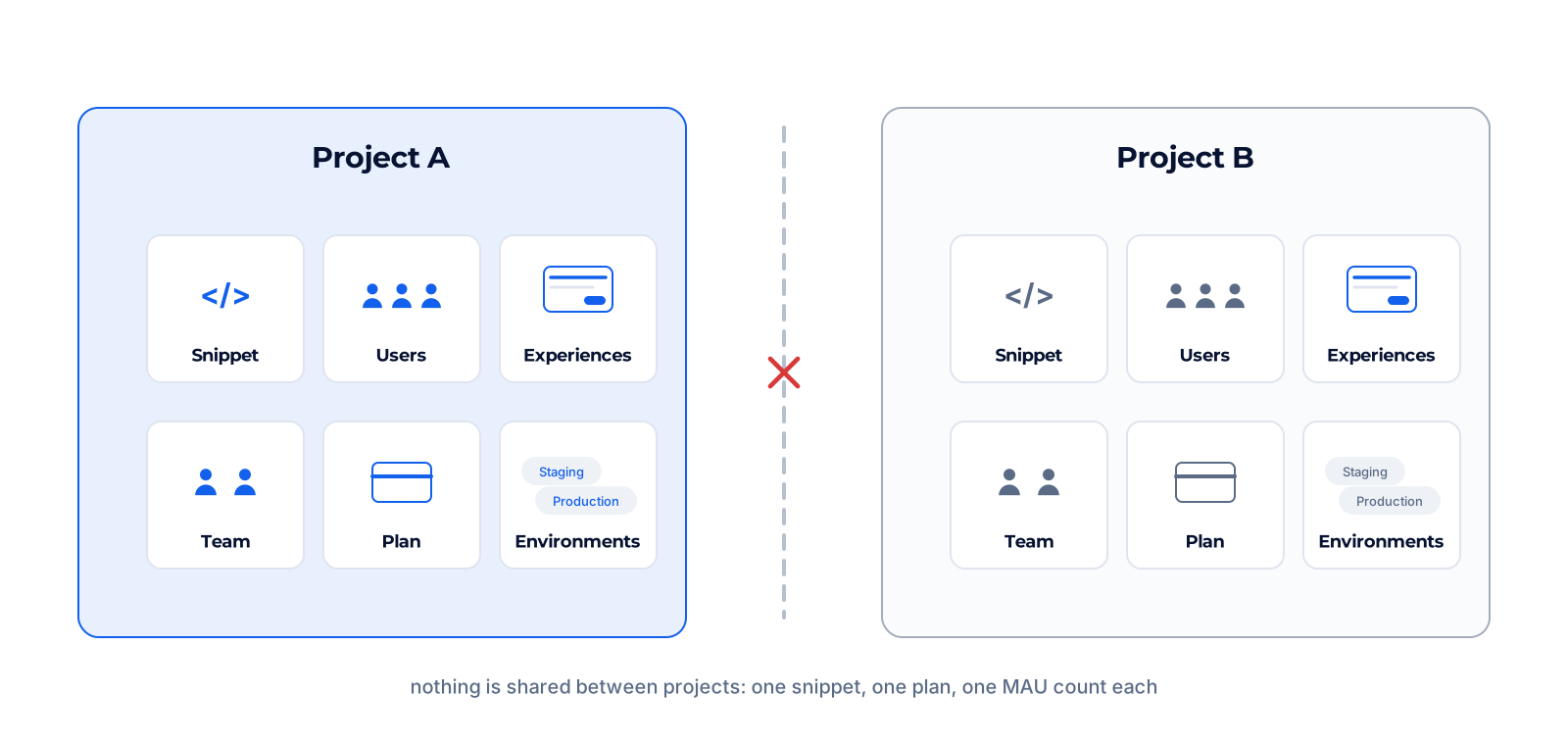
A project is one product in Jimo: its own snippet, users, experiences, team, settings and plan. Most teams need one project, with several environments inside it.

<figure><img src="https://2794860263-files.gitbook.io/~/files/v0/b/gitbook-x-prod.appspot.com/o/spaces%2FKzAcDWQbK1gKbpra7bkb%2Fuploads%2FTiGEZ40Ih0UDYmXSr58t%2FE-01-project-boundaries.png?alt=media" alt="Two separate projects side by side. Each one holds its own snippet, users, experiences, team, plan and MAU, plus its own environments: Staging and Production in the first, Production only in the second"><figcaption></figcaption></figure>

## Switch, create and delete

#### Switch project

Hover your project picture in the top left corner of the dashboard to open the project menu. Its top line shows the active project: click **Switch project** to pick another one. Below come shortcuts to the project settings, then your account and **Logout**. The active project's name and Project ID are shown in [General settings](/docs/settings/general-settings.md).

<figure><img src="https://2794860263-files.gitbook.io/~/files/v0/b/gitbook-x-prod.appspot.com/o/spaces%2FKzAcDWQbK1gKbpra7bkb%2Fuploads%2FsjgM6FpZJnT1uJsxU9An%2FE2-s02-project-menu.png?alt=media&amp;token=552496f1-3af0-403d-8481-58afb3c22774" alt="Project menu opened by hovering the project picture: the active project with Switch project (A) and the shortcuts to the project settings (B)"><figcaption></figcaption></figure>

#### Create a project

Creating a new project is disabled by default. Ask the Jimo team from the chat in the dashboard and we enable it for you.

#### Delete a project

From [General settings](/docs/settings/general-settings.md#delete-project). Deleting a project purges all its data at once: experiences, users, analytics and settings.

{% hint style="warning" %}
**Deleting a project cannot be undone.** Check the project name at the top left before you confirm. If you only want to stop experiences, unpublish them instead.
{% endhint %}

## What a project keeps separate

| Rule                      | What it means for you                                                                                               |
| ------------------------- | ------------------------------------------------------------------------------------------------------------------- |
| **Strict data isolation** | Content, users, experiences, members and settings stay inside their project. Nothing is shared between projects.    |
| **One snippet, one plan** | Every project has its own installation snippet, its own Project ID and its own subscription.                        |
| **First snippet wins**    | If a page loads two Jimo snippets with different Project IDs, only the first one initializes; the other is ignored. |
| **MAU per project**       | Each project counts its own monthly active users. See [MAU](/docs/settings/mau-monthly-active-users.md).            |

## One project or several

Staging and production of the same product belong in one project with two environments, not in two projects. Two products with separate logins usually get two projects. The full decision table is in [Environments and domains](/docs/getting-started/your-workspace/environments-and-domains.md#one-project-or-several).

<figure><img src="https://2794860263-files.gitbook.io/~/files/v0/b/gitbook-x-prod.appspot.com/o/spaces%2FKzAcDWQbK1gKbpra7bkb%2Fuploads%2F97K5P648Cgv5nM4xAQRE%2Fn07-one-project-or-several.png?alt=media&amp;token=aa2a1d4c-e2db-493e-bfb8-6c240500b7b5" alt="One project with two environments, or two projects with their own snippet"><figcaption></figcaption></figure>

## Verify

The project name at the top left is the one you expect, and its Project ID in General settings matches the `projectId` in the snippet installed on your app.

## Go further

<table data-view="cards"><thead><tr><th></th><th></th><th data-hidden data-card-target data-type="content-ref"></th><th data-hidden data-card-cover data-type="files"></th></tr></thead><tbody><tr><td><strong>General settings</strong></td><td>Name, logo and Project ID of the project you have open, and where to delete it.</td><td><a href="/docs/settings/general-settings.md">General settings</a></td><td><a href="https://2794860263-files.gitbook.io/~/files/v0/b/gitbook-x-prod.appspot.com/o/spaces%2FKzAcDWQbK1gKbpra7bkb%2Fuploads%2FxUx63dUL0KWlQU5Aw3up%2FE2-c01-general.png?alt=media&amp;token=6c66ce4e-678d-4e82-ad96-8d9ea09b5666">E2-c01-general.png</a></td></tr><tr><td><strong>Environments and domains</strong></td><td>Staging and production in one project, and what to type in Domains.</td><td><a href="/docs/getting-started/your-workspace/environments-and-domains.md">Environments and domains</a></td><td><a href="https://2794860263-files.gitbook.io/~/files/v0/b/gitbook-x-prod.appspot.com/o/spaces%2FKzAcDWQbK1gKbpra7bkb%2Fuploads%2FXq4ivtUAniYTF4lAunZL%2FE2-c06-environments.png?alt=media&amp;token=807cf841-7d89-4813-aa16-39923b9e3970">E2-c06-environments.png</a></td></tr><tr><td><strong>Plan and billing</strong></td><td>Each project has its own plan and its own count.</td><td><a href="/docs/settings/plan-and-billing.md">Plan and billing</a></td><td><a href="https://2794860263-files.gitbook.io/~/files/v0/b/gitbook-x-prod.appspot.com/o/spaces%2FKzAcDWQbK1gKbpra7bkb%2Fuploads%2FiCuOurK9MoIpArfZuoMv%2FE2-c10-plan.png?alt=media&amp;token=d104facd-18e6-45c8-abe8-9e0054817d3b">E2-c10-plan.png</a></td></tr></tbody></table>

**Next page:** [General settings](/docs/settings/general-settings.md)
