# Initial Setup

Setting up segmentation, environments, themes, team access, and integrations ensures a smoother workflow and maximizes the effectiveness of your experiences.

<table data-card-size="large" data-view="cards" data-full-width="false"><thead><tr><th align="center"></th><th align="center"></th><th></th><th data-hidden data-card-cover data-type="files"></th><th data-hidden data-card-target data-type="content-ref"></th></tr></thead><tbody><tr><td align="center"><strong>Segments</strong></td><td align="center"><em>Define Custom Attributes</em></td><td>⇒ Leverage Preset Segments</td><td><a href="https://2794860263-files.gitbook.io/~/files/v0/b/gitbook-x-prod.appspot.com/o/spaces%2FKzAcDWQbK1gKbpra7bkb%2Fuploads%2FwFcckHE1Ka30tzZntAjN%2FInitial%20setup%20-%20cards%20thumbnails.png?alt=media&#x26;token=37be8255-1f75-41f8-a844-023fe51d39a7">Initial setup - cards thumbnails.png</a></td><td><a href="#enhancing-user-management-and-targeting">#enhancing-user-management-and-targeting</a></td></tr><tr><td align="center"><strong>User imports</strong></td><td align="center"><em>Bulk Upload via CSV</em></td><td>⇒ Ease Targeting &#x26; Testing</td><td><a href="https://2794860263-files.gitbook.io/~/files/v0/b/gitbook-x-prod.appspot.com/o/spaces%2FKzAcDWQbK1gKbpra7bkb%2Fuploads%2FFPcKZ1lxDry4xFwTbWqx%2FInitial%20setup%20-%20cards%20thumbnails2.png?alt=media&#x26;token=d15e9aa8-20cf-4a1a-9a65-8dc7bb1158ae">Initial setup - cards thumbnails2.png</a></td><td><a href="#enhancing-user-management-and-targeting">#enhancing-user-management-and-targeting</a></td></tr><tr><td align="center"><strong>Environments</strong></td><td align="center"><em>Create Separate Domains</em></td><td>⇒ Test Before Launch</td><td><a href="https://2794860263-files.gitbook.io/~/files/v0/b/gitbook-x-prod.appspot.com/o/spaces%2FKzAcDWQbK1gKbpra7bkb%2Fuploads%2Fdy7LSxaH3ex1ugaFdUcR%2FInitial%20setup%20-%20cards%20thumbnails5.png?alt=media&#x26;token=6302eb4f-9e2e-46b4-a54b-e064387207c1">Initial setup - cards thumbnails5.png</a></td><td><a href="#managing-environments">#managing-environments</a></td></tr><tr><td align="center"><strong>Themes</strong></td><td align="center"><em>Build a Theme Library</em></td><td>⇒ Faster Creation</td><td><a href="https://2794860263-files.gitbook.io/~/files/v0/b/gitbook-x-prod.appspot.com/o/spaces%2FKzAcDWQbK1gKbpra7bkb%2Fuploads%2FtzF8HNcSqw8QySKJSsx8%2FInitial%20setup%20-%20cards%20thumbnailsa.png?alt=media&#x26;token=57c1a641-0ee5-4156-b1a9-7be359a761df">Initial setup - cards thumbnailsa.png</a></td><td><a href="#consistent-branding-with-themes">#consistent-branding-with-themes</a></td></tr><tr><td align="center"><strong>Team</strong></td><td align="center"><em>Add Team Members</em></td><td>⇒ Set permissions</td><td><a href="https://2794860263-files.gitbook.io/~/files/v0/b/gitbook-x-prod.appspot.com/o/spaces%2FKzAcDWQbK1gKbpra7bkb%2Fuploads%2FsWkueNm3rOFTS38ONqNt%2FInitial%20setup%20-%20cards%20thumbnails3.png?alt=media&#x26;token=6ec6dc6b-9c39-4346-b95d-e715c2788642">Initial setup - cards thumbnails3.png</a></td><td><a href="#team-management-and-permissions">#team-management-and-permissions</a></td></tr><tr><td align="center"><strong>Integrations</strong></td><td align="center"><em>HubSpot &#x26; More</em></td><td>⇒ Save Time, Stay Updated</td><td><a href="https://2794860263-files.gitbook.io/~/files/v0/b/gitbook-x-prod.appspot.com/o/spaces%2FKzAcDWQbK1gKbpra7bkb%2Fuploads%2FIObo55sEDnxBX2fmfNO4%2FInitial%20setup%20-%20cards%20thumbnailsb.png?alt=media&#x26;token=1c962b83-56c5-45cf-9ce5-3f79d994703a">Initial setup - cards thumbnailsb.png</a></td><td><a href="#integrations-for-automation">#integrations-for-automation</a></td></tr></tbody></table>

***

### 🎯 Enhancing User Management & Targeting

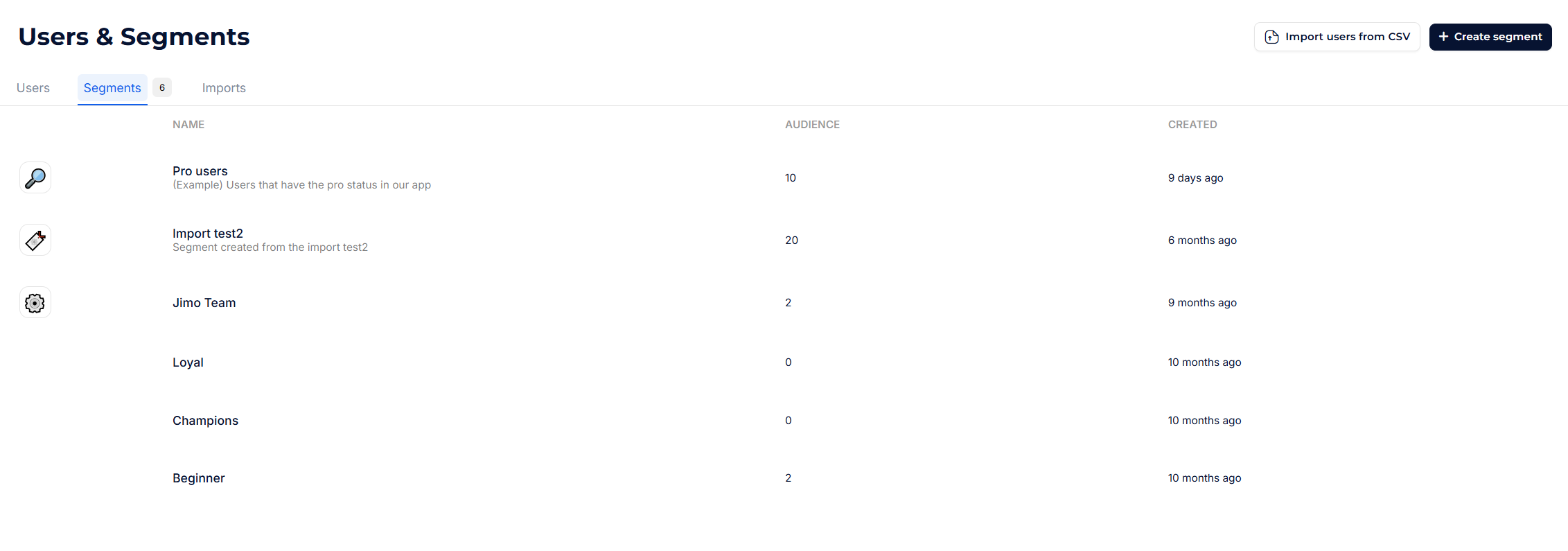
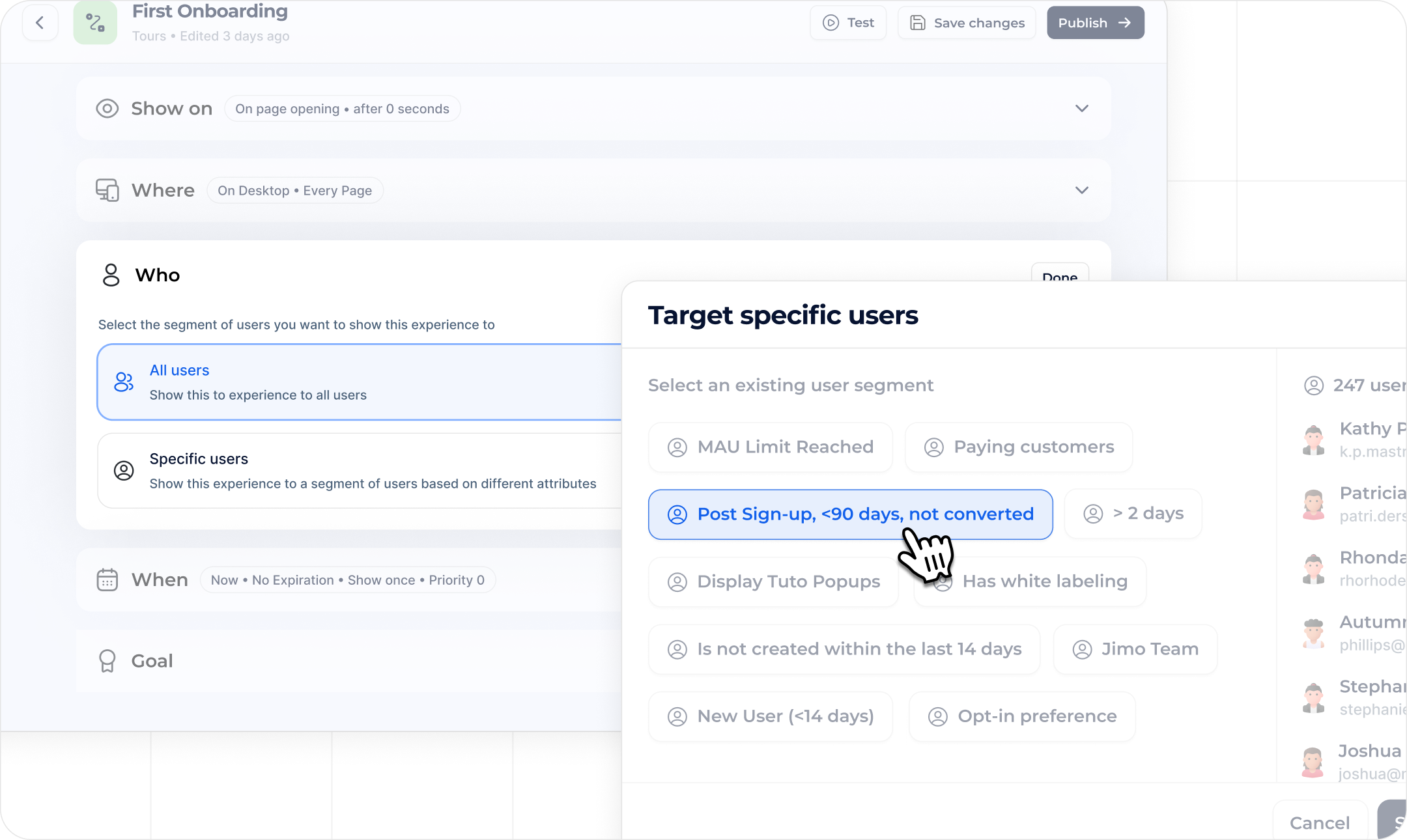
A well-structured user segmentation strategy ensures that your experiences reach the right audience at the right time.&#x20;

By defining user attributes early, you can precisely tailor interactions, personalize content, and refine targeting to enhance engagement and conversion rates.

**Go to:** <https://i.usejimo.com/segments>

<figure><img src="https://2794860263-files.gitbook.io/~/files/v0/b/gitbook-x-prod.appspot.com/o/spaces%2FKzAcDWQbK1gKbpra7bkb%2Fuploads%2FsdwSHjLj3nDFt3HkfCU4%2Fimage.png?alt=media&#x26;token=9f614a66-8353-4d25-bf64-3650d58523c6" alt=""><figcaption></figcaption></figure>

<figure><img src="https://2794860263-files.gitbook.io/~/files/v0/b/gitbook-x-prod.appspot.com/o/spaces%2FKzAcDWQbK1gKbpra7bkb%2Fuploads%2FwFcckHE1Ka30tzZntAjN%2FInitial%20setup%20-%20cards%20thumbnails.png?alt=media&#x26;token=37be8255-1f75-41f8-a844-023fe51d39a7" alt=""><figcaption></figcaption></figure>

⇒ [**Segmentation Setup**](https://help.usejimo.com/docs/analyze/users-and-segments/segments)

* **Define Custom Attributes:** Integrate user data to create precise audience segments, making it easier to target the right users with the right experiences.
* **Leverage Preset Segments:** After pushing custom attributes, group users into segments that automatically update as users meet criteria—no manual filtering required.

<figure><img src="https://2794860263-files.gitbook.io/~/files/v0/b/gitbook-x-prod.appspot.com/o/spaces%2FKzAcDWQbK1gKbpra7bkb%2Fuploads%2FFPcKZ1lxDry4xFwTbWqx%2FInitial%20setup%20-%20cards%20thumbnails2.png?alt=media&#x26;token=d15e9aa8-20cf-4a1a-9a65-8dc7bb1158ae" alt=""><figcaption></figcaption></figure>

**⇒** [**User Import**](https://help.usejimo.com/docs/analyze/users-and-segments/import)

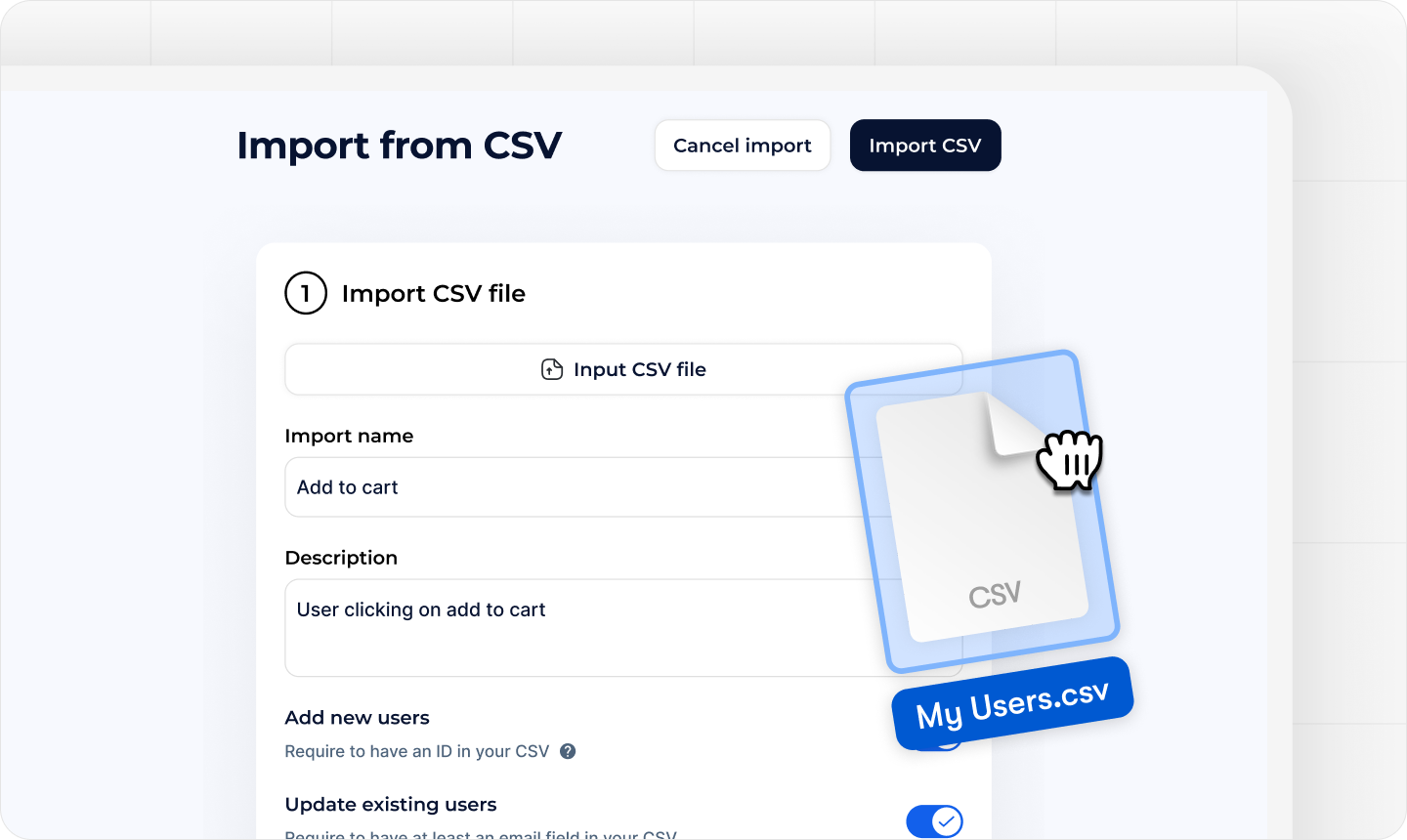
* **Bulk Upload via CSV:** Don’t wait for users to log in before you can target them. Import user data in bulk (with attributes) to start building tailored experiences right away.
* **Accelerate Targeting & Testing:** Quickly import real or test-user attributes, even before full installation, so you can build and validate experiences on actual data, refining segmentation and logic with confidence.

***

### 🌍 Managing Environments

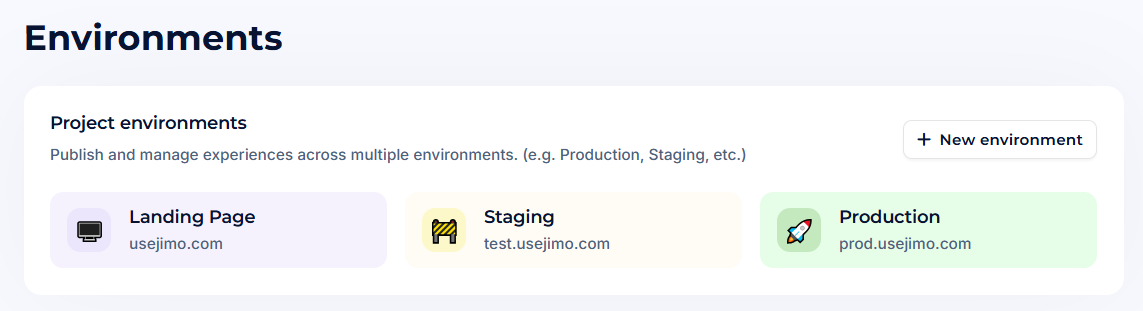
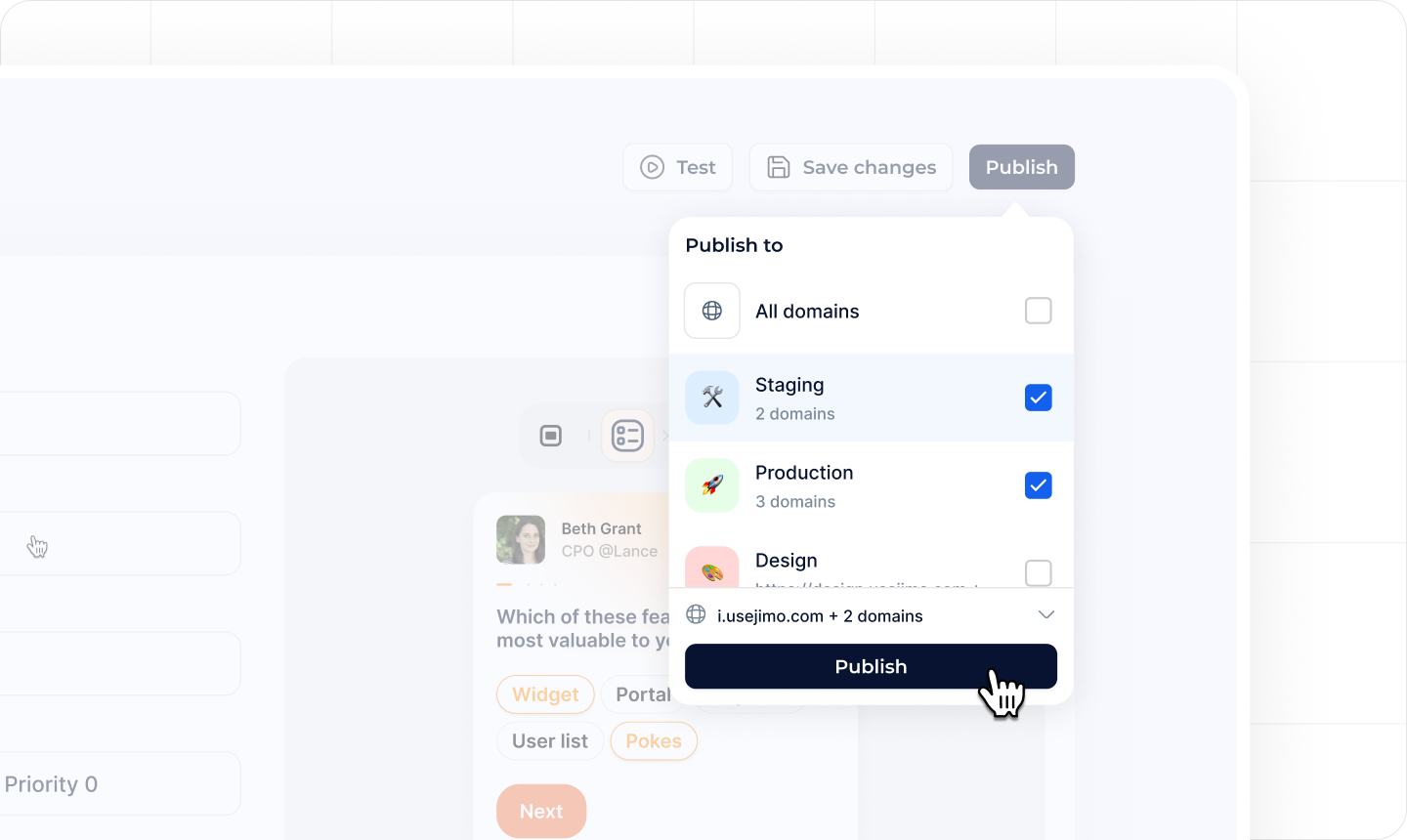
Setting up dedicated environments from the start allows you to seamlessly switch between staging and production, ensuring your tests are conducted in a controlled space before going live.&#x20;

This setup minimizes risks, provides a real preview of Jimo's impact, and ensures a smoother transition to production without unexpected issues.

**Go to:** [**https://i.usejimo.com/settings/environments**](https://i.usejimo.com/settings/environments)

<figure><img src="https://2794860263-files.gitbook.io/~/files/v0/b/gitbook-x-prod.appspot.com/o/spaces%2FKzAcDWQbK1gKbpra7bkb%2Fuploads%2FztuB8IlIA0rVK3MCUA8C%2Fimage.png?alt=media&#x26;token=e8f448fc-84cd-4f5d-9768-7819c965ead4" alt=""><figcaption></figcaption></figure>

<figure><img src="https://2794860263-files.gitbook.io/~/files/v0/b/gitbook-x-prod.appspot.com/o/spaces%2FKzAcDWQbK1gKbpra7bkb%2Fuploads%2Fdy7LSxaH3ex1ugaFdUcR%2FInitial%20setup%20-%20cards%20thumbnails5.png?alt=media&#x26;token=6302eb4f-9e2e-46b4-a54b-e064387207c1" alt=""><figcaption></figcaption></figure>

**⇒** [**Multiple Domains & Staging**](https://help.usejimo.com/docs/settings/environments)

* **Create Separate Environments:** Assign domains to different environments (e.g., testing and production) to keep your experiments organized and risk-free.
* **Test Before Launch:** Validate new experiences in a test environment before pushing them live, ensuring a smoother rollout and fewer surprises.

***

### 🎨 Consistent Branding with Themes

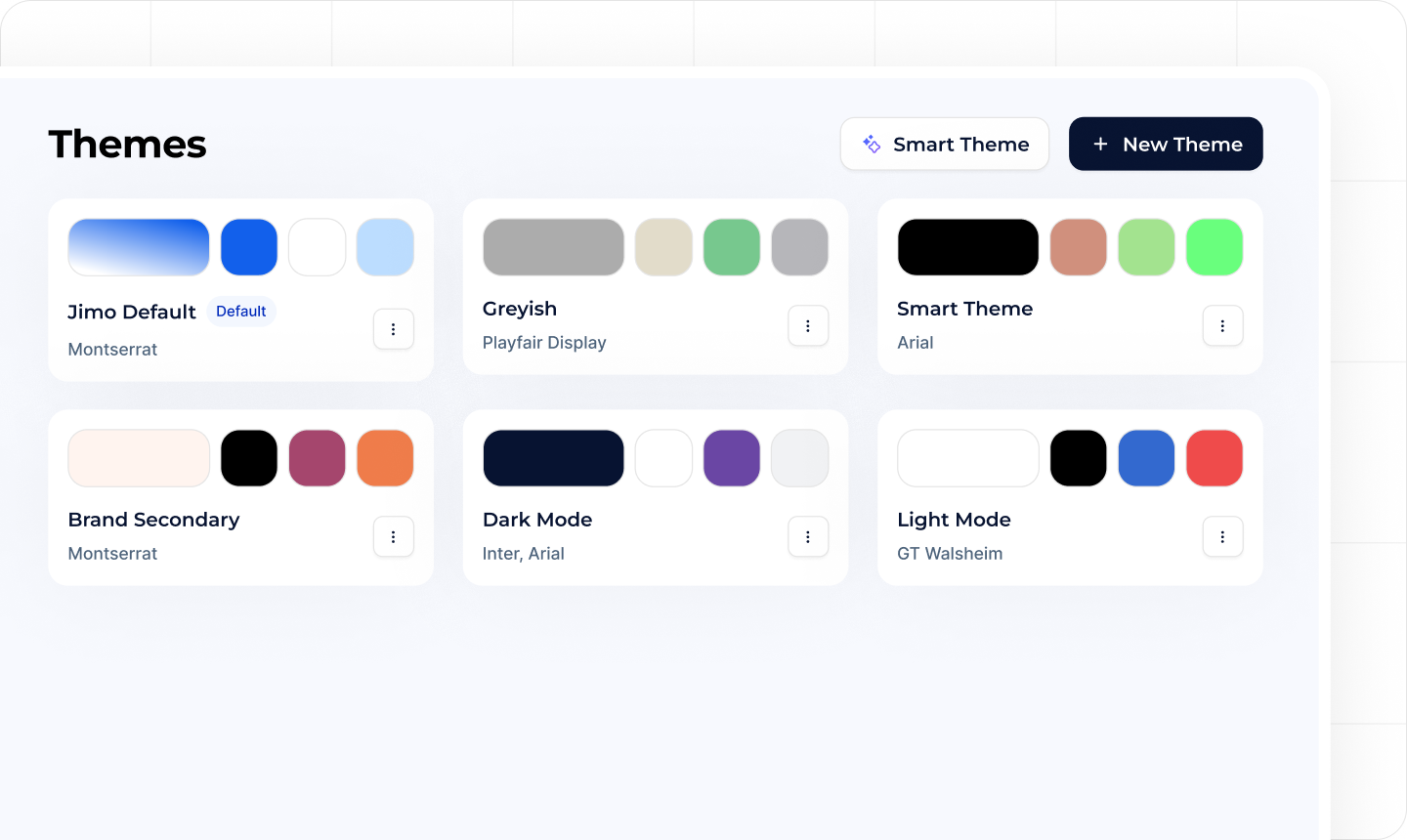
Ensuring a cohesive brand experience from the start helps streamline content creation and maintain visual consistency across all interactions.

Predefined themes allow designers to establish a solid foundation of colors, fonts, and styles that can be easily reused, reducing setup time and keeping experiences aligned with your brand identity.

**Go to:** [**https://i.usejimo.com/settings/themes**](https://i.usejimo.com/settings/themes)

<figure><img src="https://2794860263-files.gitbook.io/~/files/v0/b/gitbook-x-prod.appspot.com/o/spaces%2FKzAcDWQbK1gKbpra7bkb%2Fuploads%2FtzF8HNcSqw8QySKJSsx8%2FInitial%20setup%20-%20cards%20thumbnailsa.png?alt=media&#x26;token=57c1a641-0ee5-4156-b1a9-7be359a761df" alt=""><figcaption></figcaption></figure>

**⇒** [**Design Once, Apply Everywhere**](https://help.usejimo.com/docs/build/theme)

* **Build a Theme Library:** Establish your brand’s look and feel from the start: colors, fonts, button styles, etc.
* **Faster Creation:** With predefined themes, every new experience you create can be styled consistently in just a click.

***

### 👥 Team Management & Permissions

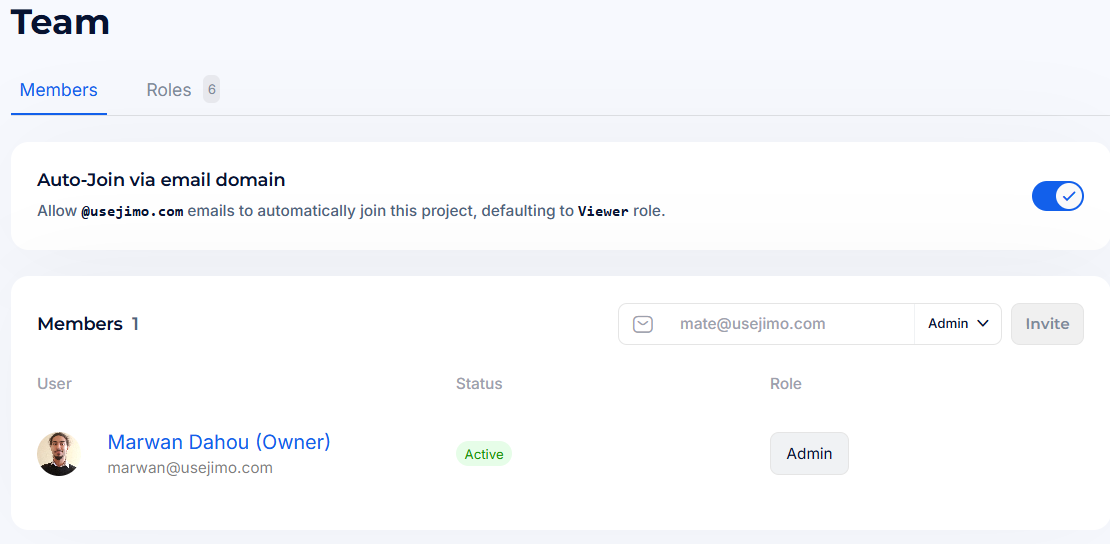
Adding all necessary team members early ensures smooth collaboration and access control.&#x20;

Whether it's developers for installation, designers for styling, or sales for billing, setting up proper roles and permissions from the start prevents bottlenecks and streamlines workflow management.

**Go to:** [**https://i.usejimo.com/settings/team**](https://i.usejimo.com/settings/team)

<figure><img src="https://2794860263-files.gitbook.io/~/files/v0/b/gitbook-x-prod.appspot.com/o/spaces%2FKzAcDWQbK1gKbpra7bkb%2Fuploads%2FkFnYPnm8TVUt7v8aftiu%2Fimage.png?alt=media&#x26;token=8470ba64-01b5-4e0f-b9f7-94c7f37349be" alt=""><figcaption></figcaption></figure>

**⇒** [**Collaborate Seamlessly**](https://help.usejimo.com/docs/settings/team-management)

* **Add Team Members:** Bring in colleagues, from product managers to designers, and assign roles to maintain clear responsibilities.
* **Set Permissions:** Control who can publish, manage segments, or adjust billing settings, ensuring a secure and efficient workflow.

***

### 🔗 Integrations for Automation

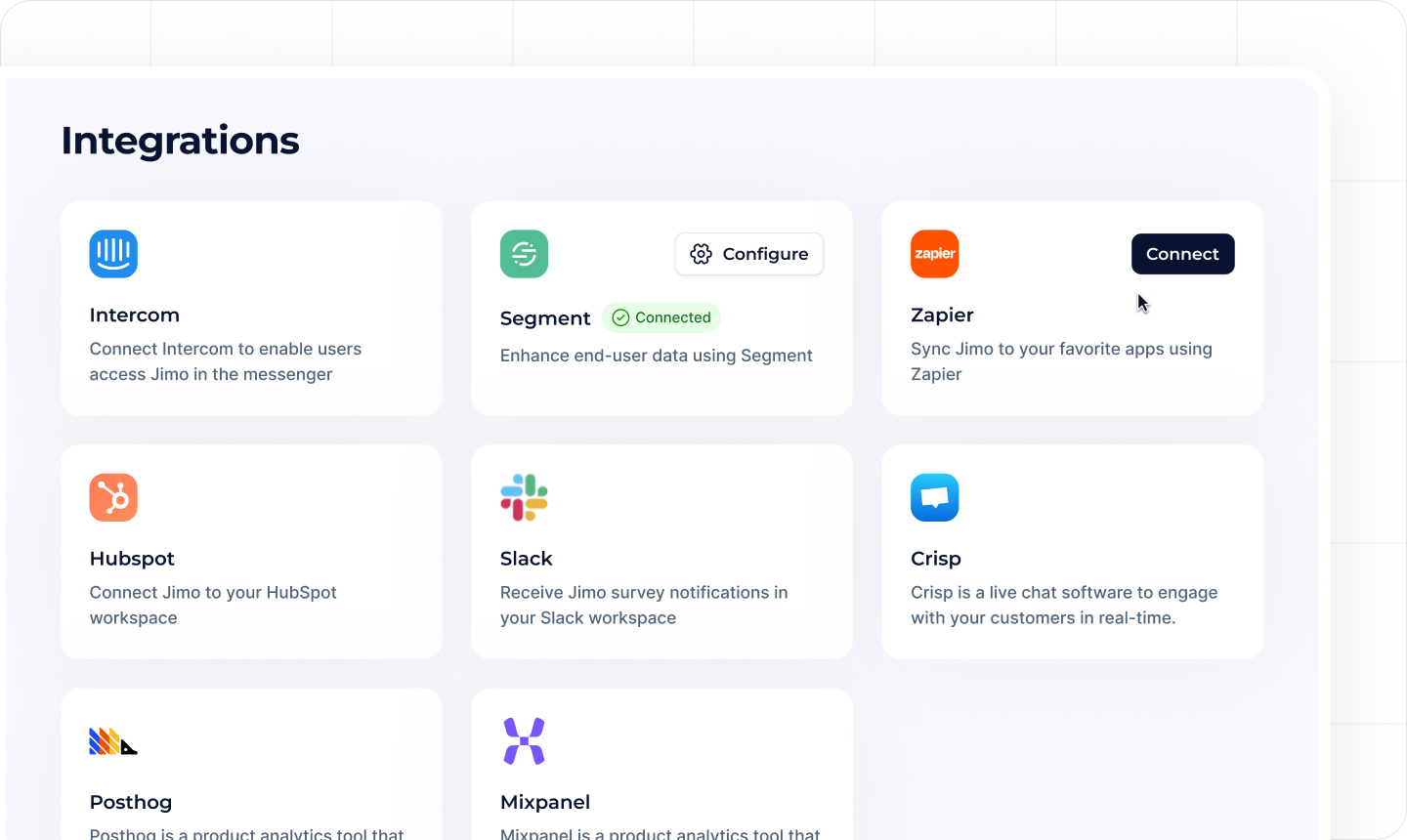
Integrating Jimo with your existing tools, such as CRMs, analytics platforms, or data warehouses, ensures that user attributes stay synchronized and accurate.&#x20;

This allows for seamless automation, enriched segmentation, and better-informed decision-making, making your first use cases more effective right from the start.

**Go to:** [**https://i.usejimo.com/settings/integrations**](https://i.usejimo.com/settings/integrations)

<figure><img src="https://2794860263-files.gitbook.io/~/files/v0/b/gitbook-x-prod.appspot.com/o/spaces%2FKzAcDWQbK1gKbpra7bkb%2Fuploads%2FIObo55sEDnxBX2fmfNO4%2FInitial%20setup%20-%20cards%20thumbnailsb.png?alt=media&#x26;token=1c962b83-56c5-45cf-9ce5-3f79d994703a" alt=""><figcaption></figcaption></figure>

**⇒** [**External Data Sources**](https://help.usejimo.com/docs/integrations/integration-setup)

* **HubSpot & More:** Connect to external tools like CRMs or data warehouses to automatically feed user attributes into Jimo.
* **Save Time, Stay Updated:** Automate data syncing with external sources, keeping user attributes current without manual imports and ensuring accurate segmentation and targeting, even as Jimo interactions feed back into your other tools.